Integrating AI-Powered Calculation Engines into Modern Web Applications
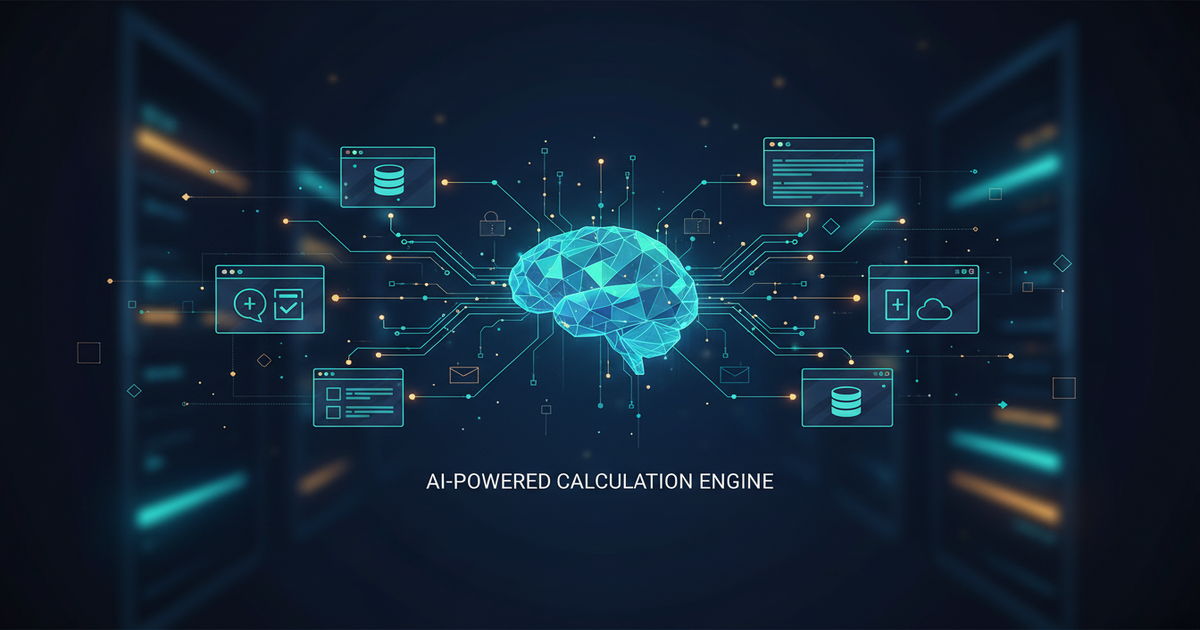
The digital landscape is evolving rapidly, and user expectations for dynamic, intelligent web applications are higher than ever. Gone are the days of static content; today's users demand personalized experiences, real-time insights, and complex calculations performed instantly. This is where AI-powered calculation engines come into play, transforming how we build and interact with modern web applications. If you're a web developer looking to elevate your projects, understanding how to seamlessly integrate these powerful AI capabilities is no longer optional—it's essential. This guide explores the why, what, and how of intelligent computation in web applications, keeping you at the forefront of innovation.
The Dawn of Intelligent Web Applications: Why AI Calculation Engines Matter
AI is now a foundational technology. AI-powered calculation engines are specialized systems designed to perform complex computations, make predictions, and derive insights using machine learning models, statistical algorithms, and symbolic AI. They handle intricate financial modeling, risk assessment, personalized product recommendations, and dynamic pricing.
Integrating these engines into your modern web applications offers several profound benefits:
- Enhanced User Experience: Deliver highly personalized and responsive interactions. Imagine an e-commerce site instantly calculating the best loan terms based on a user's credit profile, or a healthcare app predicting disease risks from input symptoms.
- Automated Decision-Making: Delegate complex analytical tasks, freeing up human resources and reducing errors. This is crucial for applications requiring high accuracy, like fraud detection or supply chain optimization.
- Scalability and Efficiency: Leverage cloud-based AI services or optimized self-hosted solutions to handle massive data volumes and computational loads without burdening your core application server.
- Competitive Advantage: Differentiate your application by offering features that traditional rule-based systems simply cannot match, driving innovation and user engagement.
Consider a financial planning application. Instead of static calculators, an AI engine can analyze a user's spending habits, income, and market trends to provide highly personalized investment advice and retirement projections in real-time. This level of dynamic, intelligent interaction is what users now expect from cutting-edge web experiences.
Architecting for Intelligence: Choosing Your Integration Strategy
Successfully integrating an AI-powered calculation engine begins with a well-thought-out architectural strategy. You have several options, each with its own trade-offs:
SaaS AI Services vs. Self-Hosted Solutions
- SaaS AI Services (e.g., AWS SageMaker, Google AI Platform, Azure Machine Learning): These platforms offer managed services for building, deploying, and scaling machine learning models. They provide robust APIs, pre-trained models, and infrastructure management, significantly reducing development overhead.
- Pros: Faster time-to-market, managed infrastructure, scalability, access to cutting-edge research.
- Cons: Vendor lock-in, potential data privacy concerns, higher operational costs for very high usage.
- Self-Hosted Solutions: Deploying your own AI models on your infrastructure (on-premise or custom cloud setup). This often involves frameworks like TensorFlow, PyTorch, or scikit-learn.
- Pros: Full control over data and infrastructure, cost-effective for specific use cases, maximum customization.
- Cons: Significant operational complexity, higher maintenance burden, requires specialized MLOps expertise.
For most modern web applications, prioritizing rapid development and scalability, a hybrid approach with SaaS AI services is often preferred for complex models, while simpler calculations might stay internal.
API-First Integration
Regardless of your hosting choice, the most effective integration strategy is API-first. Your web application should interact with the AI engine via well-defined RESTful APIs or GraphQL endpoints. This decouples the AI logic from your core application, allowing independent development, scaling, and updates.
Actionable Takeaway: Design your API contracts carefully. Define clear input schemas, output formats, and error handling mechanisms. This contract will be the backbone of your integration.
Seamlessly Connecting: Architectural Patterns for Web Integration
Integrating an AI engine demands careful consideration of data flow between your frontend, backend, and the AI service.
Microservices and Serverless Functions
Modern web applications often leverage microservices architectures. This pattern is ideal for integrating AI calculation engines:
- Dedicated AI Microservice: Encapsulate your AI engine or its API calls within a dedicated microservice. This service handles all interactions with the AI, data preprocessing, and post-processing.
- Serverless Functions (e.g., AWS Lambda, Azure Functions, Google Cloud Functions): These are perfect for event-driven AI tasks. When a user action triggers a calculation, a serverless function can invoke the AI engine, process the result, and return it to the frontend. This is highly cost-effective and scales automatically.
Example: A real estate application uses a serverless function to call an AI engine (hosted on AWS SageMaker) that predicts property values based on user-entered features. The function receives the user input, sends it to SageMaker, and returns the predicted value to the React frontend.
Real-time Data Streaming
For applications requiring continuous, low-latency AI inferences (e.g., live dashboards, anomaly detection), consider integrating data streaming platforms like Apache Kafka or AWS Kinesis. Data can flow from your application, through a streaming pipeline, to the AI engine, and then back to update the UI in real-time.
Client-Side vs. Server-Side AI
While most complex AI calculations should reside on the server for security and performance, lighter models can run client-side using libraries like TensorFlow.js. This can reduce server load and provide instant feedback for certain interactions. However, be mindful of model size and user device capabilities.
Bringing it to Life: Practical Implementation Steps
Let's dive into the practical aspects of integrating an AI engine into a typical web application stack (e.g., React frontend, Node.js/Python backend).
Backend Integration (Node.js/Python Example)
Your backend orchestrates communication between the frontend and AI engine.
// Node.js example using Axios to call an external AI API
const axios = require('axios');

async function getAICalculation(userData) {
    try {
        const response = await axios.post('https://api.ai-engine.com/calculate', {
            data: userData,
            model: 'financial-risk-v2'
        }, {
            headers: {
                'Authorization': `Bearer ${process.env.AI_API_KEY}`,
                'Content-Type': 'application/json'
            }
        });
        return response.data; // The AI's calculation result
    } catch (error) {
        console.error('Error calling AI engine:', error.message);
        throw new Error('Failed to get AI calculation');
    }
}

// Example usage in an Express route
app.post('/api/calculate-risk', async (req, res) => {
    try {
        const result = await getAICalculation(req.body);
        res.json(result);
    } catch (error) {
        res.status(500).json({ message: error.message });
    }
});
Key considerations for backend integration:
- Data Preprocessing: Ensure data sent to the AI engine is in the expected format (e.g., normalization, feature engineering).
- Security: Protect API keys, use secure communication (HTTPS), and implement authentication/authorization for AI endpoints.
- Error Handling and Retries: Implement robust error handling for API calls to the AI engine, including retry mechanisms for transient failures.
- Caching: For frequently requested, non-real-time calculations, consider caching results to reduce AI engine calls and improve response times.
Frontend Integration (React Example)
On the frontend, capture user input, display loading states, and present AI results clearly.
// React component example
import React, { useState } from 'react';
import axios from 'axios';

function FinancialRiskCalculator() {
    const [income, setIncome] = useState('');
    const [debt, setDebt] = useState('');
    const [riskScore, setRiskScore] = useState(null);
    const [loading, setLoading] = useState(false);
    const [error, setError] = useState('');

    const handleSubmit = async (e) => {
        e.preventDefault();
        setLoading(true);
        setError('');
        setRiskScore(null);

        try {
            const response = await axios.post('/api/calculate-risk', { income: parseFloat(income), debt: parseFloat(debt) });
            setRiskScore(response.data.score); // Assuming the AI returns a 'score'
        } catch (err) {
            setError('Failed to calculate risk. Please try again.');
            console.error(err);
        } finally {
            setLoading(false);
        }
    };

    return (
        <form onSubmit={handleSubmit}>
            <input type="number" value={income} onChange={(e) => setIncome(e.target.value)} placeholder="Annual Income" required />
            <input type="number" value={debt} onChange={(e) => setDebt(e.target.value)} placeholder="Total Debt" required />
            <button type="submit" disabled={loading}>
                {loading ? 'Calculating...' : 'Calculate Risk'}
            </button>
            {riskScore !== null && <p>Your Financial Risk Score: **{riskScore.toFixed(2)}**</p>}
            {error && <p style={{ color: 'red' }}>{error}</p>}
        </form>
    );
}
export default FinancialRiskCalculator;
Actionable Takeaway: Focus on user experience. Provide immediate feedback (loading spinners), clear error messages, and present complex AI outputs in an easily understandable format (e.g., charts, simplified scores).
Best Practices for Robust AI Integration
For consistent value from AI-powered calculation engines, adhere to these best practices:
- Scalability and Performance: Design your integration for scale. Use asynchronous processing, load balancing, and auto-scaling groups for your AI microservices or serverless functions. Monitor latency and throughput.
- Observability: Implement comprehensive logging, monitoring, and alerting for both your application and the AI engine. Track API call success rates, response times, and AI model drift.
- Data Governance and Ethics: Be transparent about how AI is used. Ensure data privacy, comply with regulations (GDPR, CCPA), and address potential biases in your AI models. Regularly audit model decisions.
- Continuous Improvement: AI models are not static. Establish MLOps pipelines for continuous training, evaluation, and deployment of updated models. Stay current with new AI research and tools.
- Cost Management: AI services can be expensive. Monitor usage, optimize model inference costs, and explore cost-effective alternatives as your application scales.
Conclusion: Powering the Next Generation of Web Experiences
Integrating AI-powered calculation engines is a game-changer for modern web applications. By leveraging intelligent computation, you can deliver unparalleled user experiences, automate complex processes, and unlock new levels of insight and personalization. From enhancing financial tools to revolutionizing e-commerce and healthcare, the possibilities are vast.
Embrace an API-first approach, consider microservices and serverless patterns, and prioritize robust error handling and security. As you move forward, remember that continuous monitoring and ethical considerations are paramount for long-term success. Start experimenting with these powerful integrations today, and position your web applications at the forefront of intelligent innovation. The future of web development is smart, and you have the blueprint to build it.