Developing Mobile Apps for Next-Gen 12.3-inch Car Infotainment Displays: A 2025 Tutorial
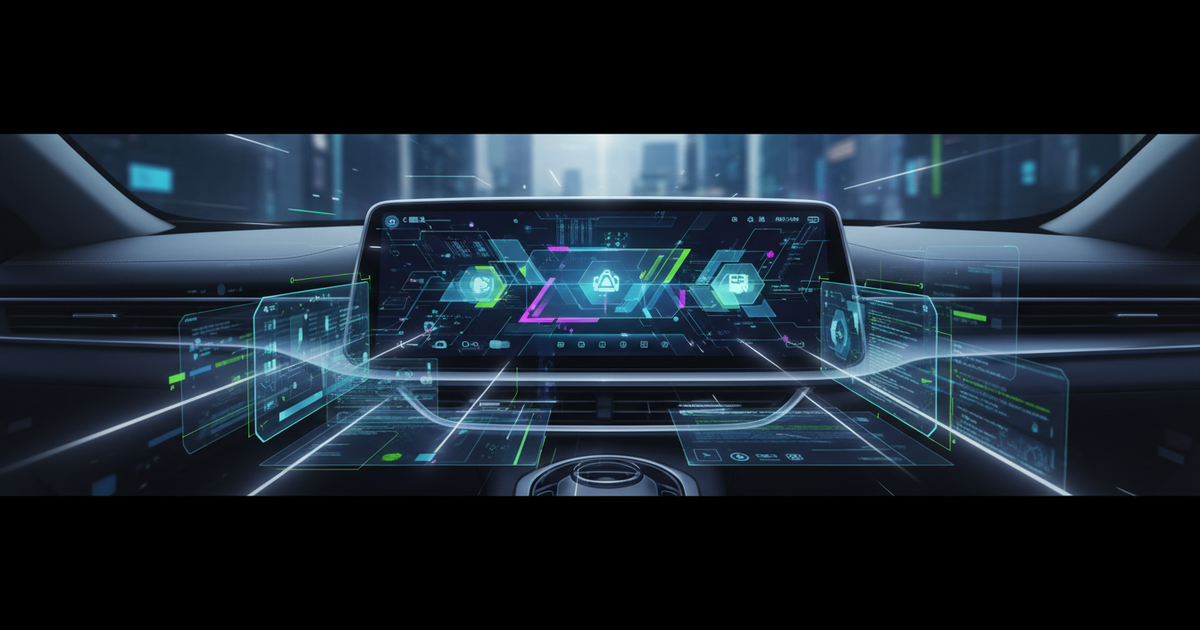
The automotive industry is in the midst of a profound transformation, driven by software and connectivity. As we step into 2025, the car’s dashboard is no longer just a collection of dials and buttons; it’s a sophisticated digital canvas. Specifically, the widespread adoption of 12.3-inch car infotainment displays presents an unprecedented opportunity for mobile app developers. This larger, more immersive screen size demands a fresh perspective on design, functionality, and user experience.
Are you ready to extend your mobile app expertise into the exciting world of in-car technology? This tutorial will guide you through the essential considerations, platforms, and strategies for developing cutting-edge mobile apps tailored for these next-generation automotive interfaces. From iOS CarPlay and Android Auto to full-blown Android Automotive OS implementations and cross-platform solutions, we’ll cover what you need to know to build compelling, safe, and intuitive in-car experiences.
The Evolving In-Car Experience: Why 12.3-inch Matters
The shift to larger infotainment displays, particularly the 12.3-inch standard, is more than just a size upgrade; it’s a paradigm shift. These expansive screens allow for richer visual content, more complex interactions, and the ability to display multiple pieces of information concurrently without clutter. Drivers and passengers now expect seamless integration of their digital lives into their vehicles, from navigation and media to productivity and smart home controls.
Automakers are increasingly investing in these advanced systems, recognizing that the in-car digital experience is a major differentiator. For you, this means a burgeoning market for innovative mobile apps for car infotainment displays. The challenge lies in optimizing your app for a unique environment where driver safety and minimal distraction are paramount. You must balance rich features with an intuitive, glanceable user interface.
Actionable Takeaway: Embrace the larger screen real estate, but always prioritize context-aware design. Think about how your app can enhance the driving experience without becoming a distraction. User testing in simulated or real driving conditions is non-negotiable.
Platform-Specific Approaches: iOS, Android Auto, and Automotive OS
Developing for car infotainment systems typically falls into two main camps: projection-based systems (like iOS CarPlay and Android Auto) and native in-car operating systems (primarily Android Automotive OS).
iOS CarPlay Development
Apple CarPlay allows users to project a simplified, driver-friendly version of their iPhone apps onto the car’s display. As of 2025, CarPlay continues its evolution, offering more customization options and deeper vehicle integration. Developing for CarPlay means adhering strictly to Apple’s Human Interface Guidelines for Automotive to ensure safety and consistency.
Your app must be categorized as an audio, navigation, communication, or specific EV charging/parking app to be approved. Use the CarPlay framework in Xcode to create your app’s interface. Focus on large tap targets, clear iconography, and minimal text to ensure readability at a glance.
// Example: Basic CarPlay scene delegate setup (simplified)
import CarPlay

class SceneDelegate: UIResponder, CPTemplateApplicationSceneDelegate {
    func templateApplicationScene(_ templateApplicationScene: CPTemplateApplicationScene, didConnect interfaceController: CPInterfaceController) {
        let itemListTemplate = CPListTemplate(title: "My Car App", sections: [
            CPListSection(items: [
                CPListItem(text: "Option 1", detailText: nil, image: nil, handler: { _, _ in
                    // Handle tap
                })
            ])
        ])
        interfaceController.setRootTemplate(itemListTemplate, animated: true)
    }
}
Android Auto and Android Automotive OS
This is where the distinction is crucial for 2025 development. Android Auto is Google’s projection solution, similar to CarPlay, where the car display mirrors a simplified interface from the user’s Android phone. Development here also involves strict design templates and limited app categories (media, messaging, navigation, parking, charging).
However, the real game-changer for native 12.3-inch infotainment development is Android Automotive OS. This is a full-fledged Android operating system built directly into the vehicle, giving developers much greater control over the user experience. You can create truly native, deeply integrated apps that leverage vehicle data (e.g., speed, fuel level, climate control) and custom UIs. Many new vehicles, including models from GM, Volvo, and Ford, are adopting this platform.
Developing for Android Automotive OS allows you to use standard Android development tools (Java/Kotlin, Android Studio) and design patterns, but with specialized Automotive UI libraries and considerations for larger screens and driver safety. You’ll have access to a broader range of APIs for vehicle interaction, opening up possibilities for innovative applications that go beyond simple media playback.
Actionable Takeaway: For projection-based systems (CarPlay, Android Auto), prioritize simplicity and adherence to platform guidelines. For Android Automotive OS, think bigger: leverage vehicle data, create custom, branded experiences, and integrate deeply into the car’s ecosystem.
Cross-Platform Strategies for Automotive
While native development offers the most control, cross-platform frameworks are gaining traction, especially for Android Automotive OS where you have direct access to the display. Frameworks like Flutter and React Native can accelerate development, allowing you to target multiple platforms from a single codebase.
For Android Automotive OS, Flutter is a particularly strong contender. Its highly customizable UI rendering engine makes it ideal for creating unique, branded user interfaces that seamlessly fit the car manufacturer’s aesthetic. You can design complex, animated interfaces that feel native while benefiting from faster development cycles.
Consider using Flutter for dashboards, media players, or even complex vehicle control interfaces on Android Automotive OS. It allows you to build sophisticated UIs that can adapt beautifully to the 12.3-inch infotainment display, providing a fluid and engaging experience. While direct CarPlay/Android Auto support for Flutter/React Native is limited to specific app types (e.g., media), their strength shines when building native Automotive OS experiences.
// Example: Simple Flutter widget for an automotive display
import 'package:flutter/material.dart';

class CarDashboardWidget extends StatelessWidget {
  final String driverName;
  final int speed;

  const CarDashboardWidget({Key? key, required this.driverName, required this.speed}) : super(key: key);

  @override
  Widget build(BuildContext context) {
    return Card(
      color: Colors.blueGrey[900],
      margin: const EdgeInsets.all(16.0),
      child: Padding(
        padding: const EdgeInsets.all(24.0),
        child: Column(
          mainAxisAlignment: MainAxisAlignment.center,
          children: [
            Text('Welcome, $driverName!', style: TextStyle(color: Colors.white70, fontSize: 20)),
            SizedBox(height: 10),
            Text('${speed} mph', style: TextStyle(color: Colors.white, fontSize: 48, fontWeight: FontWeight.bold)),
            SizedBox(height: 20),
            LinearProgressIndicator(
              value: speed / 120, // Example max speed
              backgroundColor: Colors.white30,
              valueColor: AlwaysStoppedAnimation<Color>(Colors.greenAccent),
            ),
          ],
        ),
      ),
    );
  }
}
Actionable Takeaway: Explore Flutter for Android Automotive OS development if custom, high-fidelity UIs and rapid iteration are your priorities. It offers a powerful way to leverage the large screen real estate with a unified codebase.
Designing for Driver Safety and Intuition (HMI)
Human-Machine Interface (HMI) design is paramount in automotive applications. Unlike a smartphone, where a user's full attention is acceptable, in-car apps must be designed to minimize distraction and prioritize safety. The 12.3-inch infotainment display provides more space, but this doesn't mean more complexity.
Key design principles include:
- Glanceability: Information must be digestible in 1-2 seconds. Use large fonts, high contrast, and clear visual hierarchy.
- Large Touch Targets: Fingers in a moving vehicle are less precise. Ensure buttons and interactive elements are generously sized (e.g., 48dp/48px minimum).
- Minimal Interaction Depth: Avoid nested menus and complex workflows. Most tasks should be achievable in 1-2 taps.
- Voice Control Integration: Leverage voice assistants (Google Assistant, Siri) to enable hands-free interaction for critical functions.
- Contextual Relevance: Display only what’s necessary for the current driving context. For instance, detailed settings might be locked while the car is in motion.
- Adaptive Layouts: Design your app to gracefully adapt to different screen aspect ratios and orientations, even if the 12.3-inch display is standard, future variations may exist.
According to a 2023 study by J.D. Power, infotainment usability is a significant factor in customer satisfaction. A poorly designed interface can lead to frustration and, more importantly, unsafe driving. Your role as a developer is to be an advocate for the driver.
Actionable Takeaway: Always design with the driver in mind. Prioritize safety, simplicity, and ease of use. Conduct rigorous usability testing to identify and eliminate potential distractions. Consider the 12.3-inch infotainment display as a window, not a tablet.
Monetization, Integration, and The Road Ahead
The landscape for automotive apps is ripe for innovation. Beyond traditional app sales or subscriptions, consider these evolving trends:
- Subscription Services: Premium features, enhanced navigation, or exclusive content could be offered via subscription.
- In-Car Commerce: Integrating payment solutions for fuel, parking, or drive-thru orders directly from the infotainment system.
- Vehicle-to-Everything (V2X) Integration: Apps that leverage V2X communication for real-time traffic, hazard warnings, or smart city services.
- AI and Personalization: Using AI to learn driver preferences, anticipate needs, and offer personalized recommendations for routes, media, or climate control.
- API Economy: As automakers open up more vehicle APIs, the potential for third-party developers to create highly integrated services will explode. Imagine apps that monitor tire pressure, schedule maintenance, or even control smart home devices from the car.
By 2025, the connectivity of vehicles is expected to surge, with nearly 70% of new cars sold globally featuring embedded cellular modems. This ubiquitous connectivity fuels the demand for innovative automotive apps.
The future of mobile apps for car infotainment displays is bright and boundless. As a developer, you are at the forefront of shaping how people interact with their vehicles, transforming commute times into productive or entertaining experiences.
Conclusion
Developing for next-gen 12.3-inch car infotainment displays is an exciting frontier for mobile app developers. Whether you're building for iOS CarPlay, Android Auto, or diving deep into Android Automotive OS with native or cross-platform tools like Flutter, the principles of safety, intuition, and seamless integration must guide your efforts.
The large screen offers immense potential for rich, engaging experiences, but it also carries the responsibility of minimizing driver distraction. By focusing on glanceable UIs, large touch targets, and leveraging voice control, you can create applications that not only delight users but also contribute to a safer driving environment. The road ahead is filled with opportunities for innovative in-car app development.
Are you ready to design the future of the connected car? Start exploring the specific SDKs, engage with automotive developer communities, and begin prototyping your vision today. The automotive world is waiting for your next great idea.